
Please note: The below description is only valid for the manual blocking code. If you want to use automatic code blocking, please ensure that the CMP-Code is inserted directly after the <head> element of your website code.
Using the modified Shop Module
In order to integrate the modified Shop Module for consentmanager into your store please follow these steps:
- Download the Module Zip file here.
- Extract the content of the zip file into your store root directory.
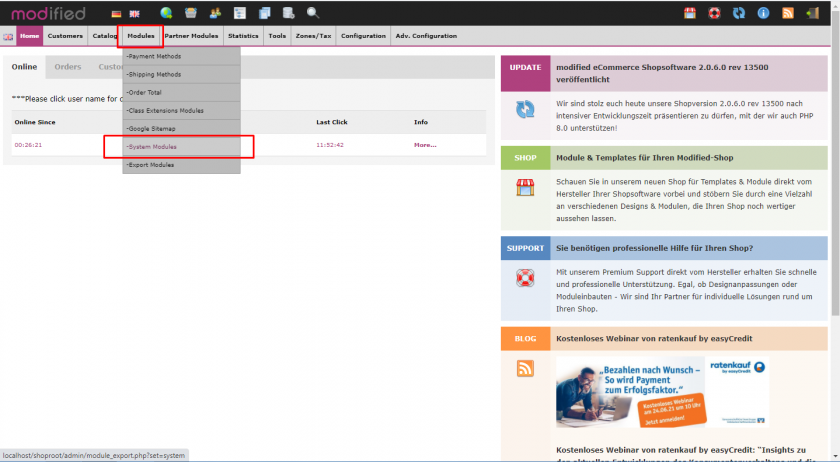
- Login to your store and click on Modules > System Modules

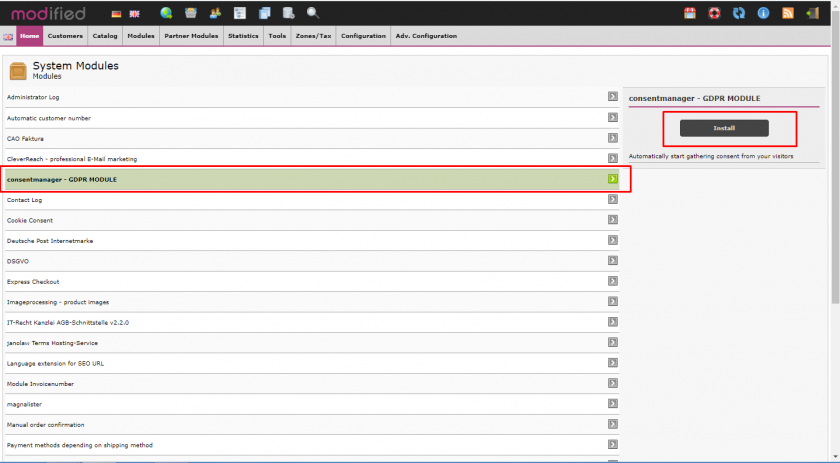
- Click on the module and choose Install
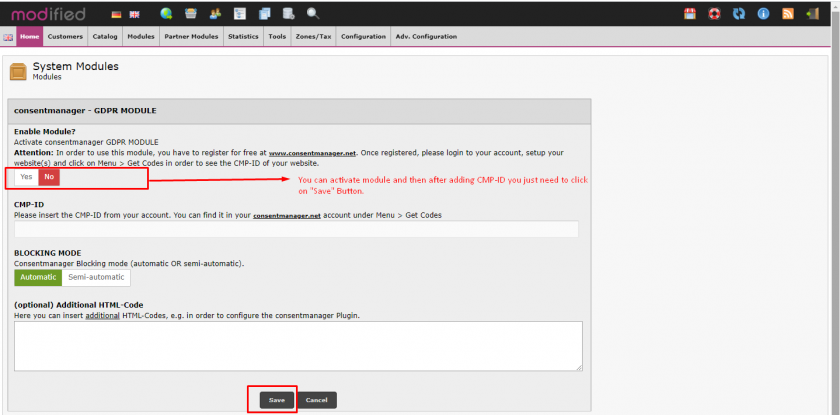
- Once the module is installed, edit and enable it, enter your CMP-ID (can be found in Menu > Get Codes) and press save
Manual installation of the code
In order to integrate the CMP-Code into a modified Shop please follow these steps:
- Login to your webserver via FTP and locate the file templates/yourtemplate/index.html
- Insert the CMP-Code into a
{literal}...CODE...{/literal}at the very start of the file - Save the file