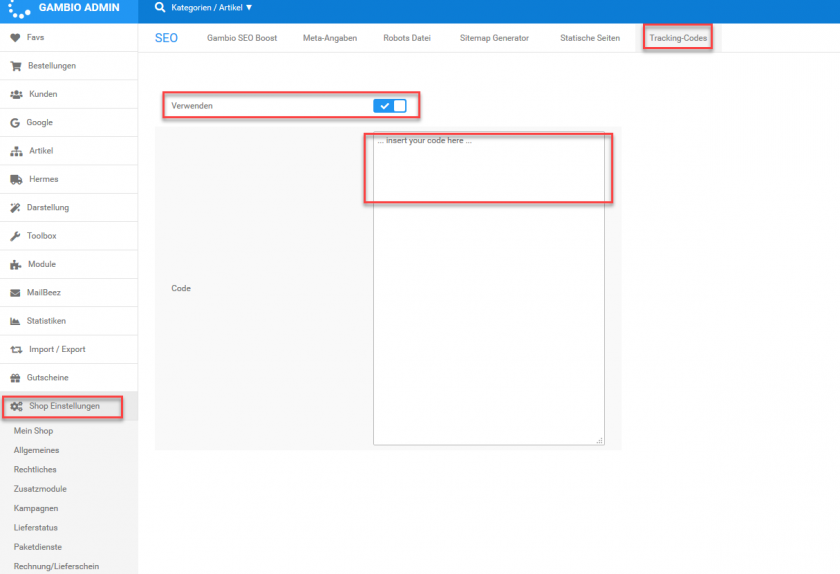
Please note: The below description is only valid for the manual blocking code. If you want to use automatic code blocking, please ensure that the CMP-Code is inserted directly after the <head> element of your website code.
In order to integrate the CMP-Code into a Gambio Shop please follow these steps:
Automatic Integration via Gambio PlugIn
This plugin is designed for Gambio Version 3.5
- Login to your Gambio System and click on Admin >Plugins > Edit
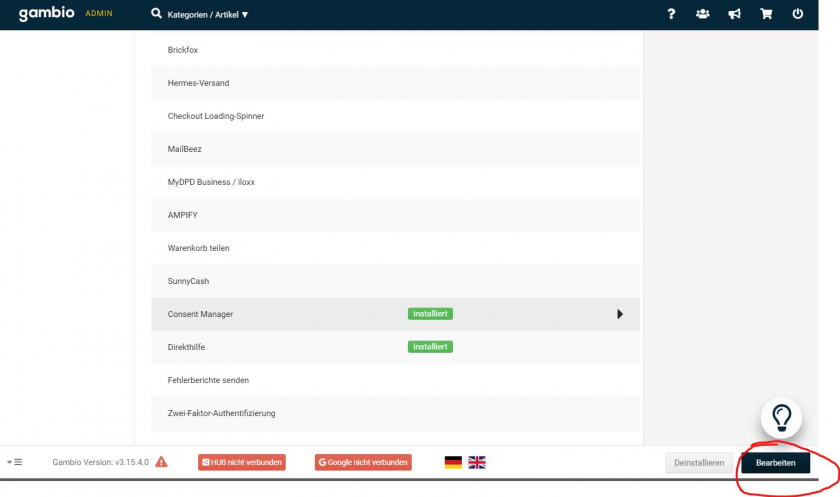

- Download the ConsentManager plugin here and upload it to Gambio.
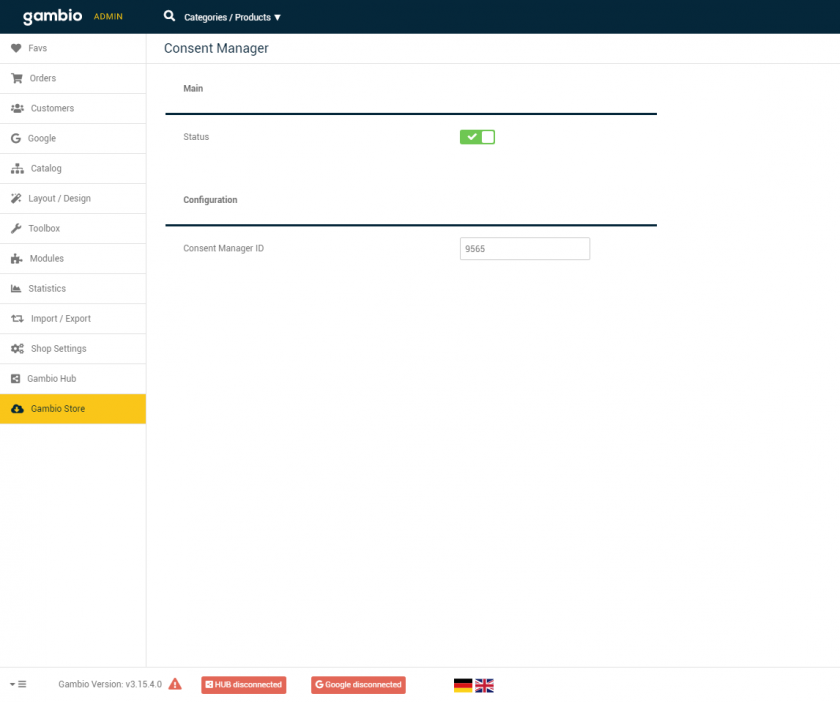
- Go to Gambio Store > Consent Manager, set Status to active and insert your ConsentManager ID (can be found in your consentmanager.net Login under Menu > Get Code). Then press Save.
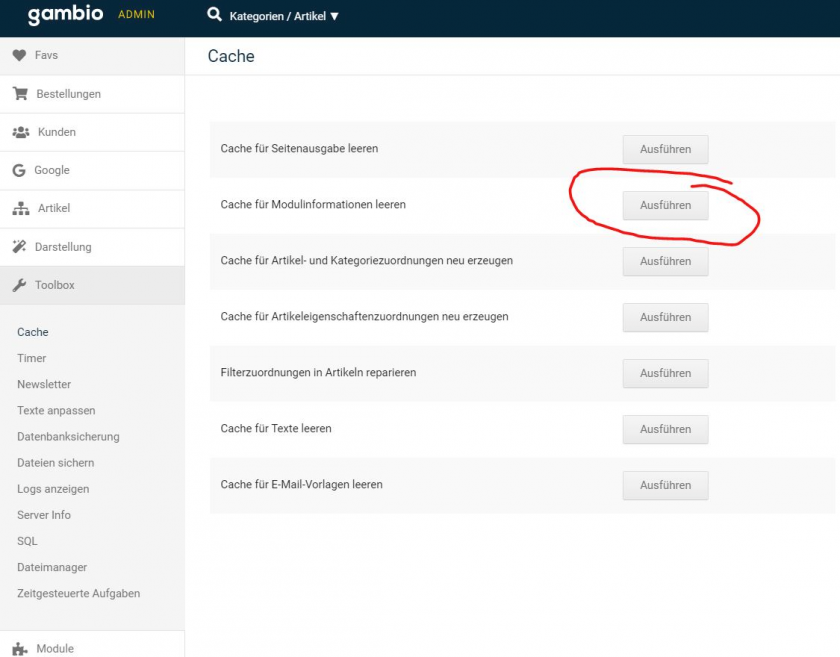
- Go to Toolbox > Cache and click on Empty Cache for Moduleinformation
Manual installation
- Login to your Gambio Admin interface
- Go to Shop settings (“Shop Einstellungen”) > SEO
- Click on Tracking-Codes
- Activate the tracking and insert the ConsentManager Code into the code field
- Press save