
Please read the following documentations if you are unsure about the WP consent API:
https://wordpress.org/plugins/wp-consent-api/
https://wpconsentapi.org/
Integration Step-by-step
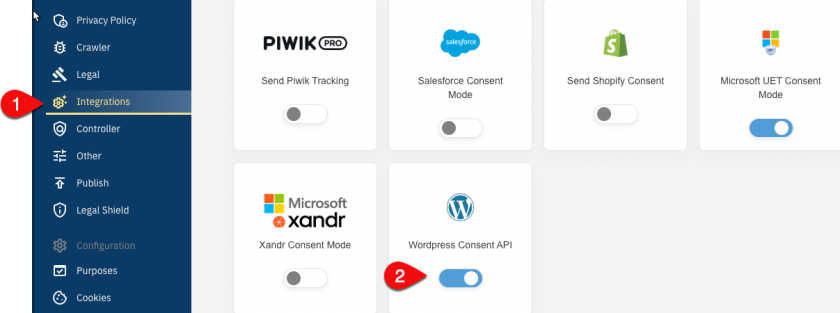
- In your consentmanager account, go to Menu > CMPs > Integrations and enable WP Consent API

- Ensure under Menu > CMPs > Purposes that you have sufficient purposes active in your CMP
- (Go to Menu > CMPs > Vendors and ensure that you have the vendors named “WordPress …” (IDs s2434, s3157, s3155, s3156, s3154) in your vendorlist:
-
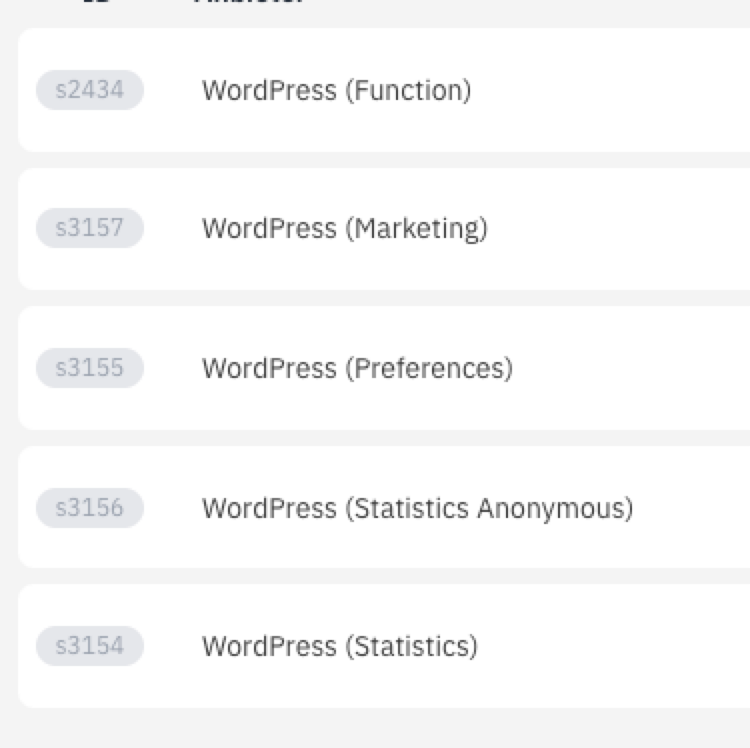
(Note: Not all of these vendors are necessary in all cases)