
In order to delete your consentmanager account, please follow the steps below:
- Log into your consentmanager account here and access your dashboard;
- Go to the blue sidebar (on the left side) and click on the “Account” icon at the bottom;
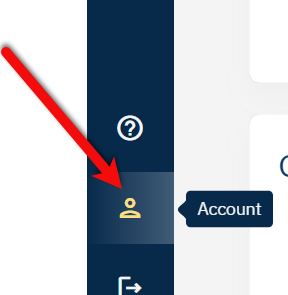
- You’ve landed on the Account page;
- In the “Account data“ box on the page, click the pen icon to Edit;
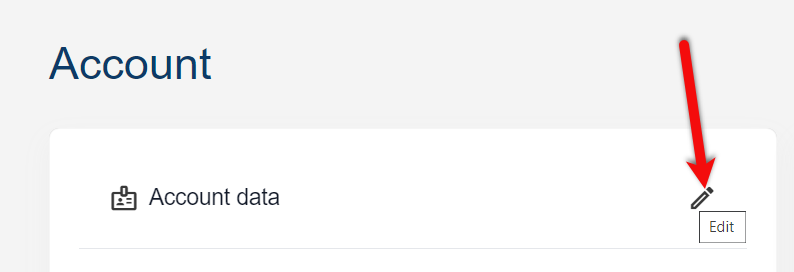
- Another page will open where you can update your account email, and more.
- At the bottom of this page, next to “Save changes”, click on the button with the three dots;
- Hit “Delete account“;
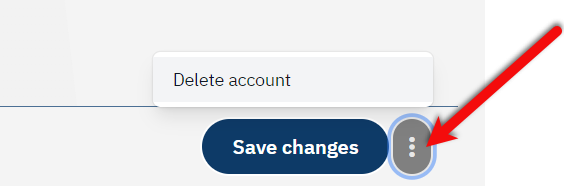
- Select the reasons why you are deleting your account. Be careful, after making your selection, your account will immediately and automatically be deleted. This action cannot be undone.
Please note:
– This action cannot be reversed!
– Accounts with outstanding invoices cannot be deleted.