
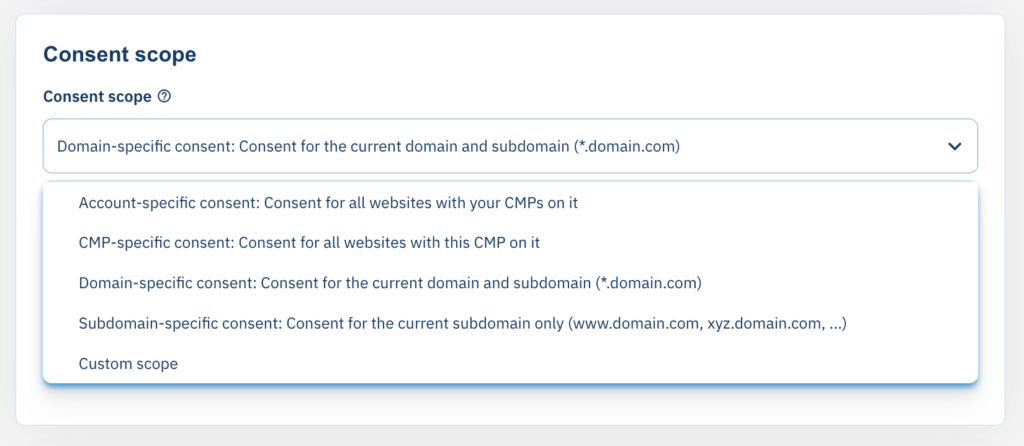
Consent Scopes allow you to define in which “area” a consent or rejection is valid. You can set this setting in menu under Legal settings > Consent Scope. The most common use of consent scopes is the so called “Cross Domain Consent“.
Note: Modern browsers will partition the cookies based on the top window domain. In this case Cross domain consent is NOT possible.
The following scopes can be used:
| Consent Scope | Cookie Names | Description | 1st Party Cookies | 3rd Party Cookies |
| Account-specific consent |
| The consent information is shared among all CMPs in your account and all websites that use these CMP-Codes. The | x | x |
| CMP-specific consent |
| The consent information is shared among all websites that use the same CMP-Code. The | x | x |
| Domain-specific consent |
| The consent information is shared among all subdomains of the same domain. The Note: This setting requires cookie scope to be set to “*.domain.com” | x | |
| Subdomain-specific consent |
| The consent information is shared only among the pages of the same subdomain. The Note: This setting requires cookie scope to be set to “subdomain.domain.com” | x | |
| Custom consent scope |
| The consent information is shared among all websites that use the CMP-Codes that are included in the custom consent setting. The
| x | x |
Custom Consent Scopes (Enterprise Package only)
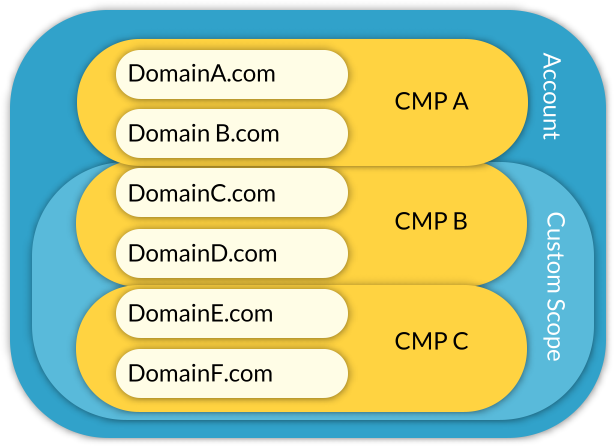
A custom consent scope allows you to share consent information across multile CMPs in your account. In order to use it, go to CMPs > Edit > Show advanced settings > Consent Scope and click on Add new scope. Give the new scope a name and press save. Once done, you will find the new consent scope in the select box in your CMP settings. You can now use the same consent scope in multiple CMPs. All CMPs that use this same consent scope will automatically share the consent information with the other CMPs.
Further cross domain strategies
In addition to the above consent scope setting, websites can use other features to share consent across websites or apps:
Cross-Domain Consent via Cookie Wall
Under Menu > CMPs > Legal you can enable the Cookie Wall feature. This will automatically forward the visitor to a Cookie Wall page. This allows to share consent across domains when technical limitations are present. More Information can be found here.
Cross-Domain Consent via Consent Sync on click-out
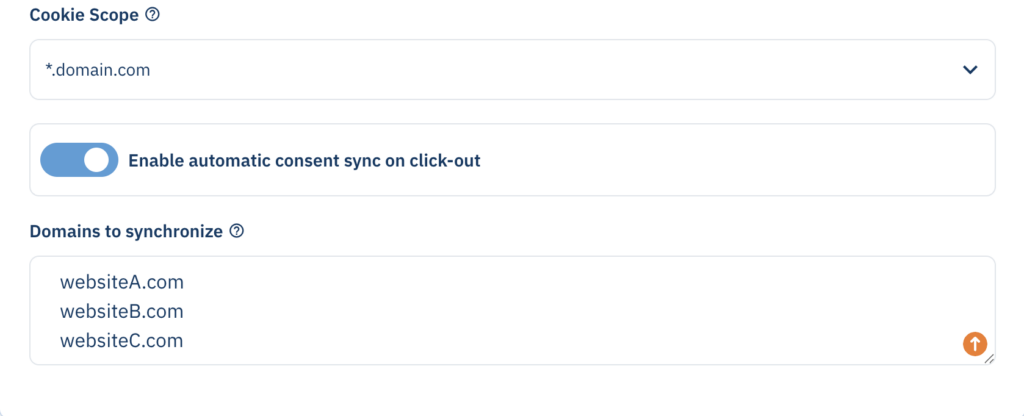
Under Menu > CMPs > Legal you can enable the Automatic Consent Sync on Click-out feature. This will automatically add the consent information to outgoing links that belong to the domains you have set. This way, when a user clicks from website A to website B, the consent will automatically be shared through the click-URL.
Cross-Domain Consent via manual sharing of consent
Further cross domain consent sharing can be done by manually sharing the consent data. This makes sense in situations when the user is logged into the website and switches to another website where the user is also logged in. More information can be found here.