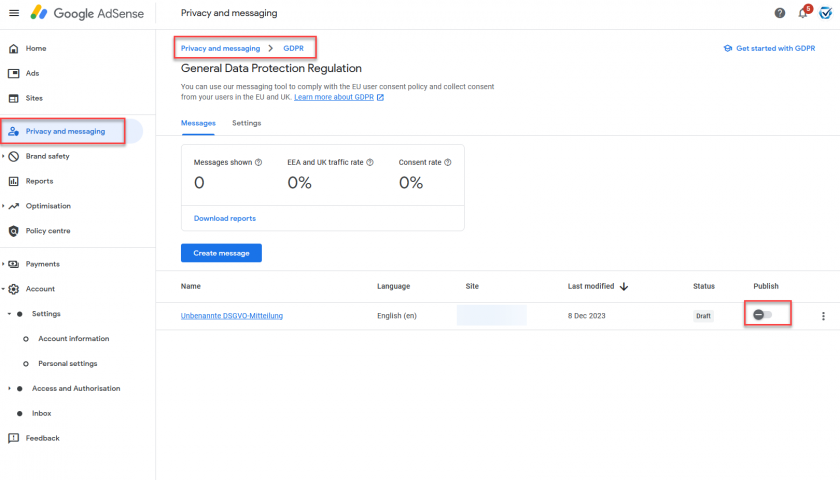
If you are using Google Adsense, AdMob or AdManager 360 the Google CMP “Funding Choices” is automatically integrated and may be automatically activated on your website. In order to use consentmanager, please ensure it is always deactivated:
Deactivating Google CMP via AdSense
- Login to your Google AdSense Account
- Click on Privacy and messaging
- Click on GDPR
- Ensure there is either no message configured or the configured messages are deactivated