
You can link vendors to purposes. This means that if a purpose is activated or deactivated the corresponding vendors are also activated or deactivated. In order to enable this logic please go to Menu > CMPs > Edit and show advanced options of the box Legal Settings. Then activate the two settings “Turn off vendors for which ...” and “Turn on vendors for which …“:
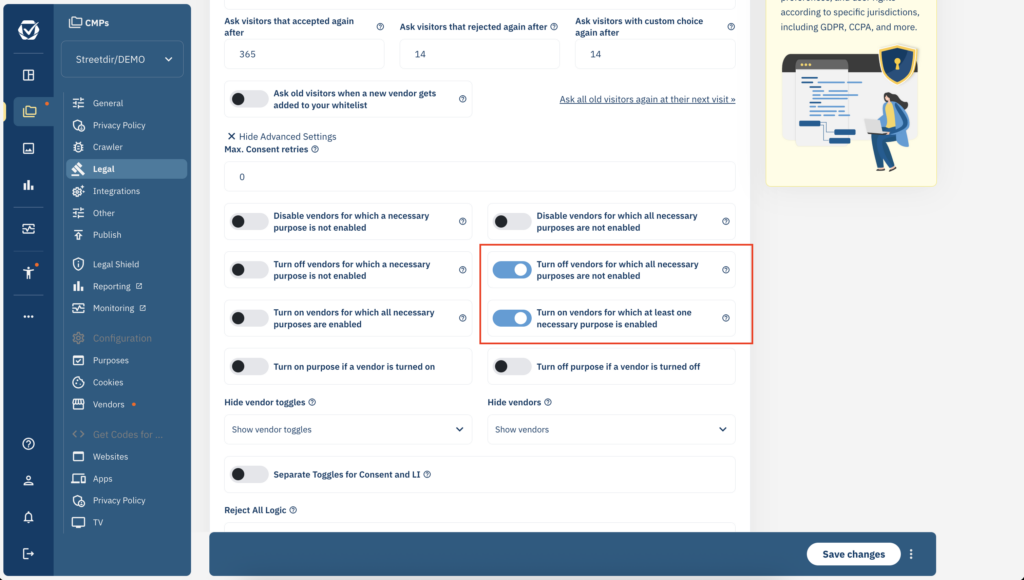
Please note that the connection is always only in one direction, meaning enabling/disabling the purpose will do the same to the vendors but it will never work the other way (enabling/disabling a vendor will not enable/disable the purpose).