
Plugin is tested for OpenCart versions 2.3.0.2, 3.0.0.0, 3.0.1.1, 3.0.1.2, 3.0.2.0, 4.0.0.0_b, 3.0.3.0, 3.0.3.1, 3.0.3.2, 3.0.3.3, 3.0.3.5, 3.0.3.6, 3.0.3.7
1. Create a CMP for your website (https://consentmanager.net/help/getting-started/3-create-a-cmp/)
2. Install this plugin:
– Get the app in the official OpenCart marketplace: https://www.opencart.com/index.php?route=marketplace/extension/info&extension_id=42268
OR
– Download the plugin here: consentmanager_opencart.zip
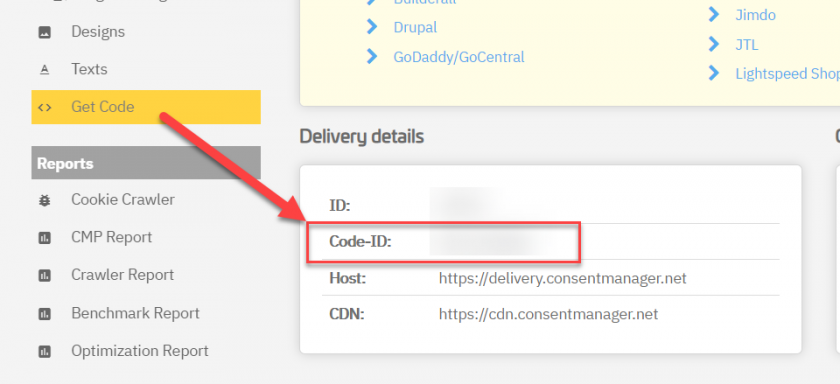
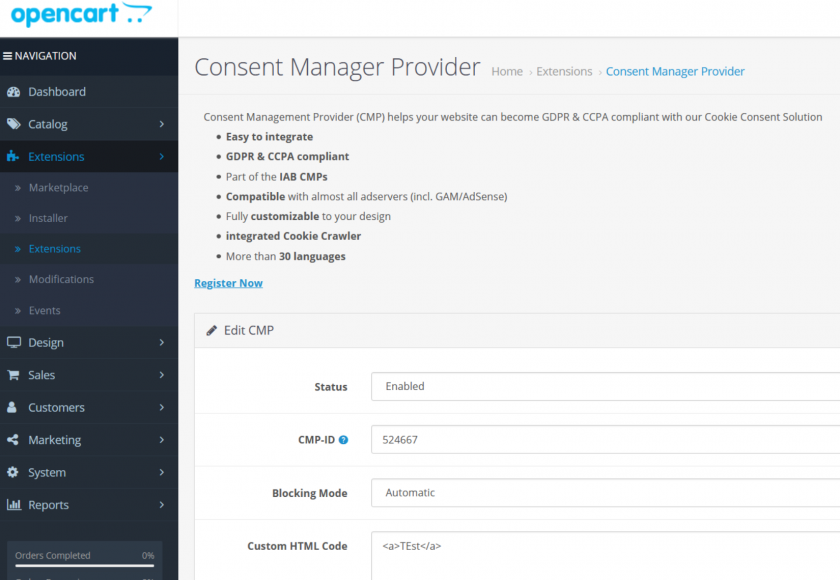
3. Get your CMP Code-ID and enter in the plugin settings:
4. Choose whether you want to use the automatic or semi-automatic code (https://consentmanager.net/help/getting-started/6-integrating-the-code/)
5. Done!