
Please note: The below description is only valid for the manual blocking code. If you want to use automatic code blocking, please ensure that the CMP-Code is inserted directly after the <head> element of your website code.
Strato LivePages
In order to intergate the CMP-Code into a website that is build with Strato LivePages, please follow these steps:
- Login to your Strato LivePages Project and click on Step 5 Publizieren
- Click on the button Optimierung für Suchmaschinen
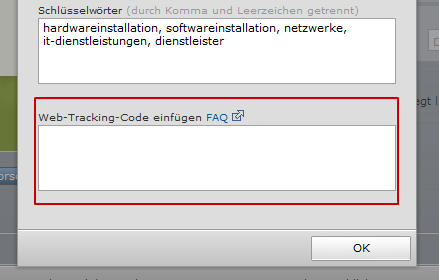
- Insert the CMP-Code into the field Web-Tracking-Code einfügen
- Click on Ok and publish the changes
Strato Webshop now
Currently Strato Webshop now does not offer the possibility to insert HTML-codes and can therefore not work with our CMP.