
Aby umożliwić użytkownikom późniejszą zmianę wyborów, CMP zazwyczaj wyświetla przycisk preferencji (lub przycisk przypomnienia) w lewym dolnym rogu okna:

Ustawienia tego przycisku można znaleźć w Menu > CMP > Edytuj CMP

Ten przycisk można wyłączyć w Menu > CMP > Ustawienia prawne
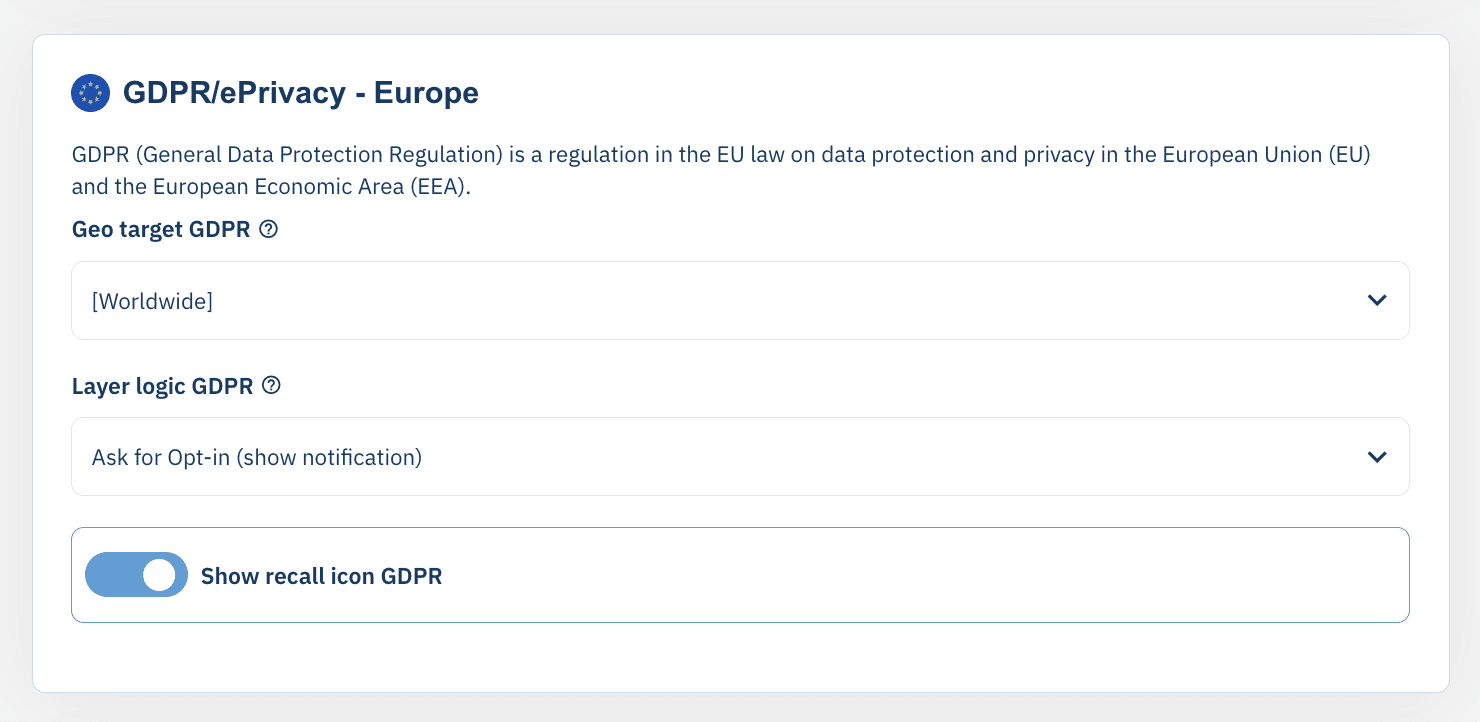
Jeśli funkcja jest wyłączona, zdecydowanie zalecamy dodanie własnego linku lub przycisku na swojej stronie internetowej, aby umożliwić użytkownikom zmianę ustawień zgody.
Dodanie linku w stopce do Twojej strony internetowej
Jeśli chcesz, aby warstwa zgody była widoczna (nawet dla użytkowników, którzy już wyrazili zgodę), możesz to zrobić, po prostu ładując stronę z hash (#cmpscreen) lub parametr (?cmpscreen). Na przykład: http://www.mywebsite.com/#cmpscreen spowoduje wyświetlenie ekranu zgody. Możesz użyć poniższych kodów, aby dodać link w stopce lub podobny element do swojej strony internetowej:
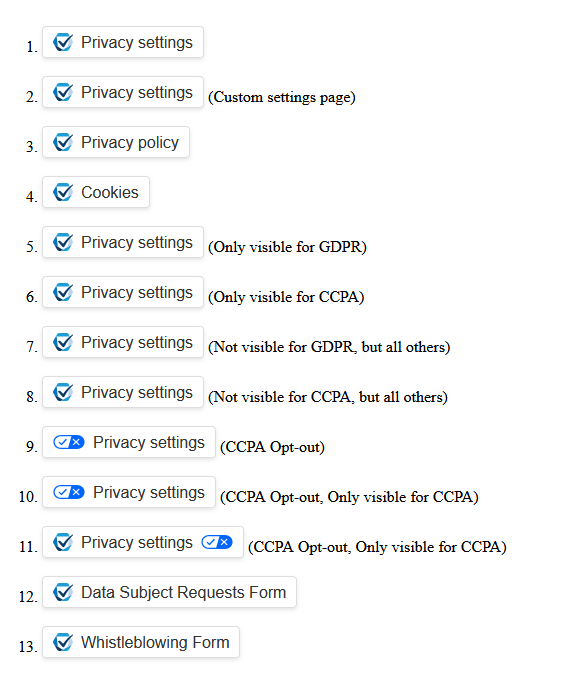
1. Link to first page:
<a href="?cmpscreen" class="cmpfooterlink cmpfooterlinkcmp">Privacy settings</a>

2. Link to custom settings page:
<a href="?cmpscreencustom" class="cmpfooterlink cmpfooterlinkcmp">Privacy settings</a>

3. Link to privacy policy page:
<a href="?cmpscreenpolicy" class="cmpfooterlink cmpfooterlinkpcp">Privacy policy</a>

4. Link to cookies page:
<a href="?cmpscreencookie" class="cmpfooterlink cmpfooterlinkcmp">Cookies</a>

5. Only visible under GDPR, hidden for all others:
<a href="?cmpscreen" class="cmpfooterlink cmpfooterlinkhide cmpshowfooterlinkGDPR">Privacy settings</a>

6. Only visible under CCPA, hidden for all others:
<a href="?cmpscreen" class="cmpfooterlink cmpfooterlinkhide cmpshowfooterlinkCCPA">Privacy settings</a>

7. Not visible for GDPR, but all others:
<a href="?cmpscreen" class="cmpfooterlink cmphidefooterlinkGDPR">Privacy settings</a>

8. Not visible for CCPA, but all others:
<a href="?cmpscreen" class="cmpfooterlink cmphidefooterlinkCCPA">Privacy settings</a>

9. CCPA Opt-out link:
<a href="?cmpscreencustom" class="cmpoptoutfooterlink">Privacy settings</a>

10. CCPA Opt-out, Only visible for CCPA:
<a href="?cmpscreencustom" class="cmpoptoutfooterlink cmpfooterlinkhide cmpshowfooterlinkCCPA">Privacy settings</a>

11. CCPA Opt-out, Only visible for CCPA
<a href="?cmpscreencustom" class="cmpfooterlink cmpoptoutfooterlink cmpfooterlinkhide cmpshowfooterlinkCCPA">Privacy settings</a>

12. Link to Data Subject Requests Form (replace xxx with your ID):
<a href="?cmpscreendsar=xxx" class="cmpfooterlink cmpfooterlinkdsar">Data Subject Requests Form</a>

13. Link to Whistleblowing Form (replace xxx with your ID):
<a href="?cmpscreenwb=xxx" class="cmpfooterlink cmpfooterlinkwb">Whistleblowing Form</a>
Alternatywnie możesz użyć #cmpscreencustom lub ?cmpscreencustom , aby wyświetlić stronę z opcjami niestandardowymi zamiast strony powitalnej ekranu zgody.
<a href="/?cmpscreen">Cookie settings</a>Możesz również użyć interfejsu API JavaScript, aby bezpośrednio wywołać otwarcie warstwy.