
Wtyczka została przetestowana dla wersji OpenCart 2.3.0.2, 3.0.0.0, 3.0.1.1, 3.0.1.2, 3.0.2.0, 4.0.0.0_b, 3.0.3.0, 3.0.3.1, 3.0.3.2, 3.0.3.3, 3.0.3.5, 3.0.3.6, 3.0.3.7
1. Utwórz CMP dla swojej witryny (https://consentmanager.net/help/getting-started/3-create-a-cmp/)
2. Zainstaluj tę wtyczkę:
– Pobierz aplikację z oficjalnego sklepu OpenCart: https://www.opencart.com/index.php?route=marketplace/extension/info&extension_id=42268
LUB
– Pobierz wtyczkę tutaj: consentmanager_opencart.zip
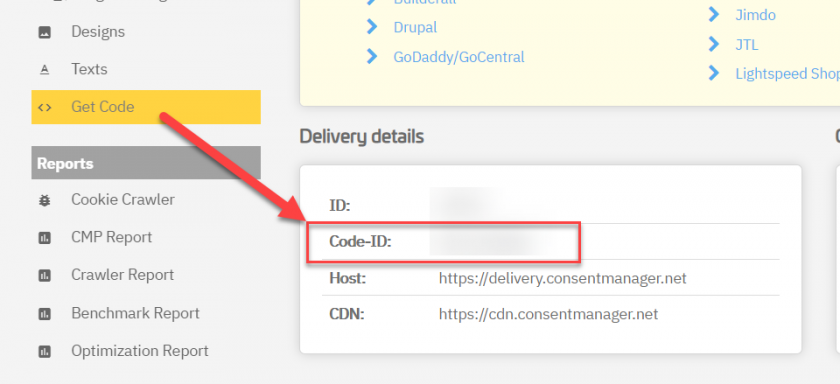
3. Pobierz swój identyfikator CMP i wprowadź go w ustawieniach wtyczki:
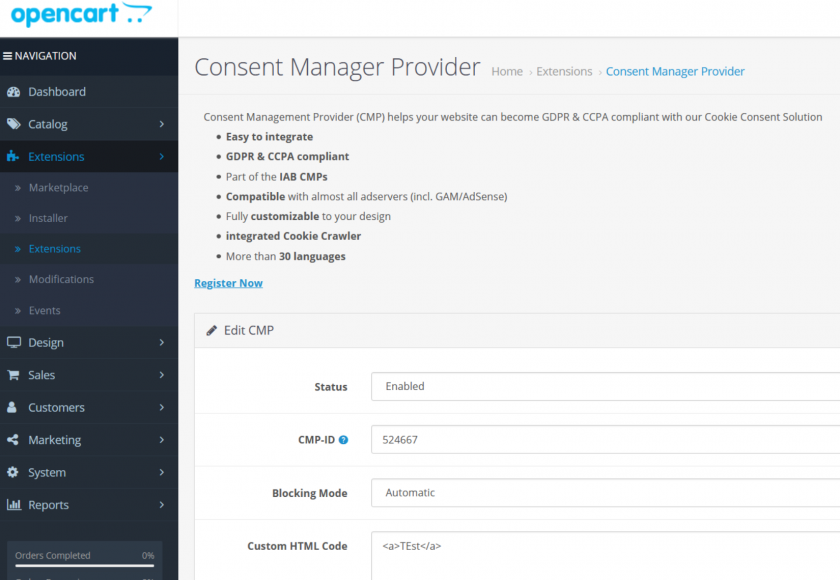
4. Wybierz, czy chcesz użyć kodu automatycznego, czy półautomatycznego (https://consentmanager.net/help/getting-started/6-integrating-the-code/)
5. Gotowe!