
The Microsoft Clarity Consent Mode is a way to signal consent to Microsoft’s Analytics Tool MS Clarity.
Enabling Microsoft Clarity Consent Mode
In order to enable the Clarity Consent Mode in your CMP, please navigate to Menu > CMPs > Integrations and enable Microsoft Clarity Consent Mode:
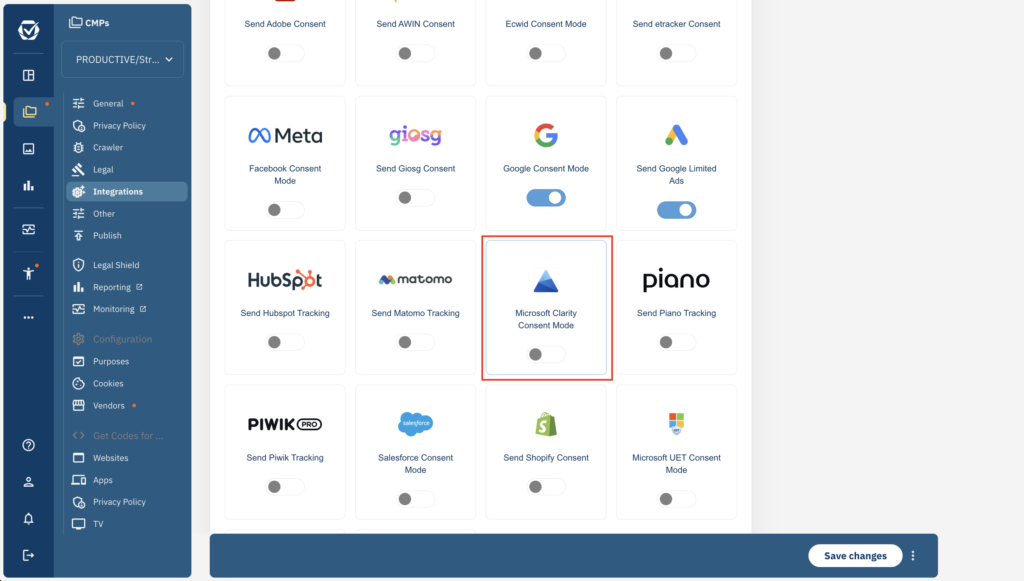
The consent mode will automatically sent to granted or denied based on the consent for vendor Microsoft Clarity (vendor IDs s2631), hence please ensure you have one of these two vendors added to your vendorlist.
Setup Clarity
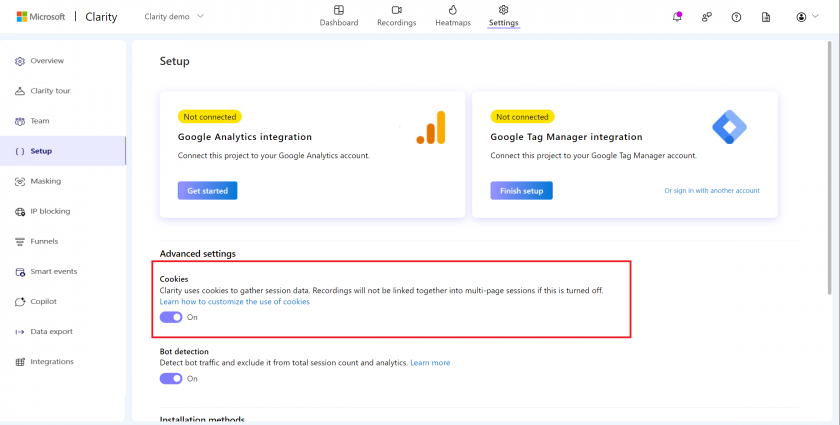
- Login to Microsoft Clarity and navigate to Clarity > Settings > Setup and turn off Cookies:
- Enable Clarity Consent Mode as described above