
Läs följande dokumentation om du är osäker på WP Consent API:
https://wordpress.org/plugins/wp-consent-api/
https://wpconsentapi.org/
Integration steg för steg
- I ditt ConsentManager-konto går du till Meny > CMP:er > Integrationer och aktiverar WP Consent API
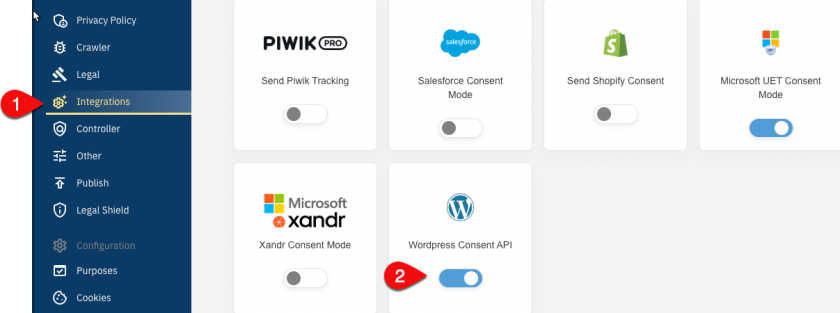

- Se till att du under Meny > CMP:er > Syften har tillräckligt många aktiva syften i din CMP
- (Gå till Meny > CMP:er > Leverantörer och se till att du har leverantörerna med namnet "WordPress …" (ID: s2434, s3157, s3155, s3156, s3154) i din leverantörslista:
-
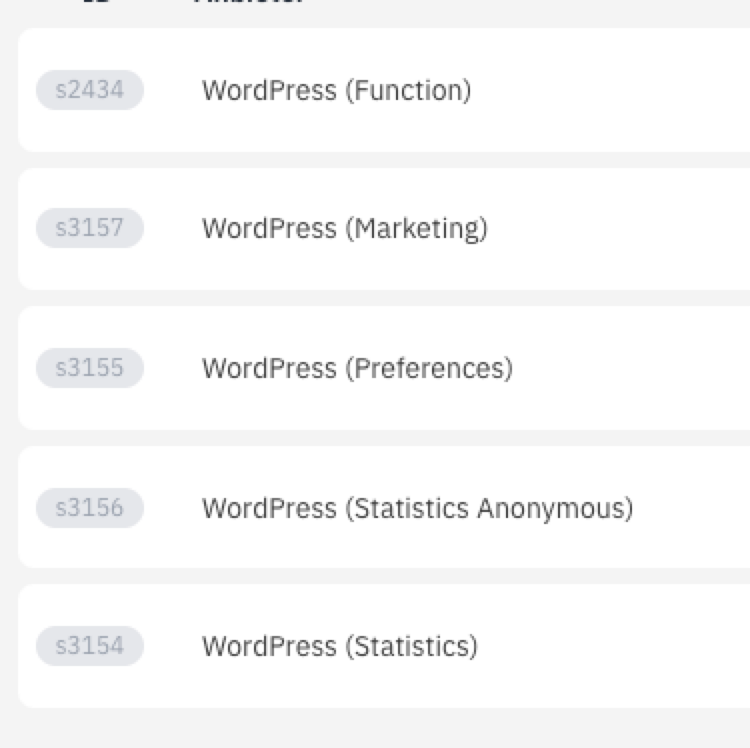
(Obs: Alla dessa leverantörer behövs inte i alla fall)